CakeApp: a bakery's orders, from phone call to pickup
Custom CRM and ordering system for a pavlova bakery.
CakeApp
The problem
CakeMiami is a pavlova bakery in Miami with two pickup locations and delivery.
- Orders came in by phone.
- Customer numbers lived in a personal phone.
- Cake details went on sticky notes.
- Every pickup meant calling the customer.
- Follow-up, repeat orders, and review requests depended on someone remembering.
What was done
CakeApp was built with AI tools, without hiring a developer, around how the bakery actually works.
Intake and checkout
An order taken on a call ends in a checkout link with the choices filled in.
Production and customer updates
A printed sales order and box label, scan-based stages, and texts at each stage.
Communications
Calls and messages in one place, so anyone can see who was contacted and what was said.
Reviews
Review requests are tracked.
Accounting
AI assistants
AI assistants inside CakeApp answer questions about orders and help draft posts from the bakery's own photos. They are still being refined.
CakeApp does more than one bakery needs. It is also where new tools are tested and demonstrated, and not everything in it is offered as a service.
What it looks like
The prep board
The day view sorts one pickup day's orders by stage. Each card carries its items, its pickup window, and its pickup location or delivery.
CakeApp

Scan
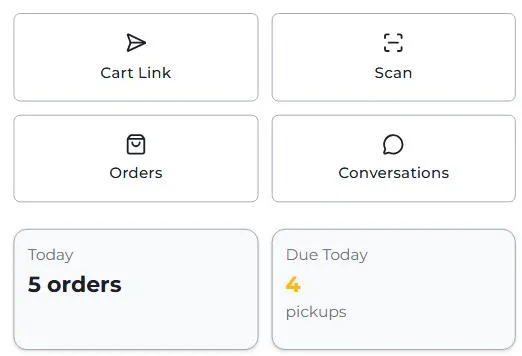
The scan screen sits with the other operations tools in CakeApp's menu, ready for the camera or an order number.
CakeApp

Review requests
CakeApp
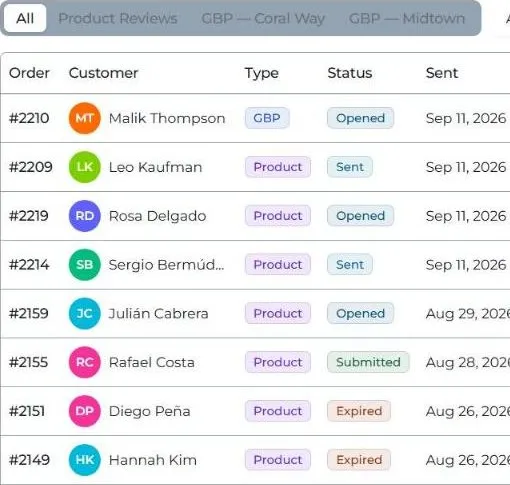
Each order's review request, from sent to submitted. Conversations
CakeApp
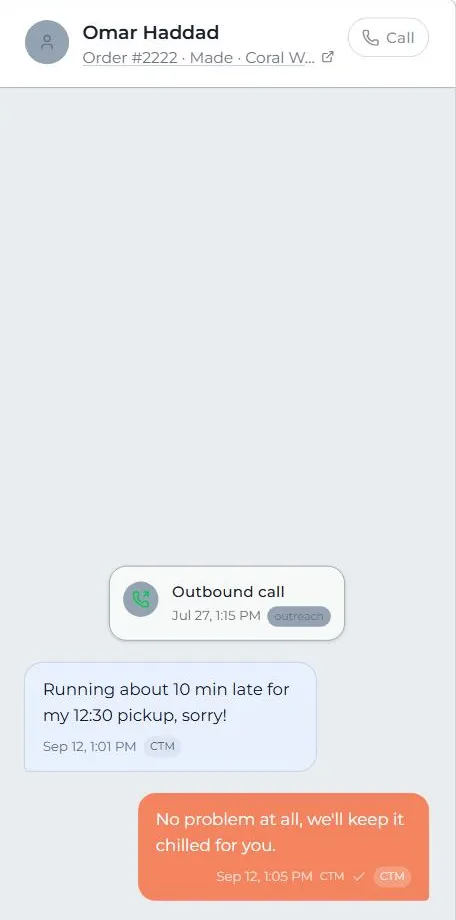
An open conversation, with its order number and stage in the header.

